



Encrypted Imessage meaning your message gets protected with encryption during its journey from your iPhone, iPad, or Mac to another Apple device. The protection helps prevent outsiders from reading the message as it travels across the internet.
Apple uses end-to-end encryption for iMessage. This means the message gets encrypted on the sender’s device and decrypted on the recipient’s device. The content stays protected from unauthorized access during transmission.
For many Apple users, seeing terms related to encryption can raise questions about privacy, message delivery, and security. The basic meaning is simple: an encrypted iMessage has security protection that helps keep the conversation private.
What Does Encrypted Imessage meaning on iPhone?
An Encrypted Imessage meanings your conversation uses Apple’s iMessage system rather than standard SMS or MMS messaging.
iMessage sends messages through Apple’s internet-based messaging service. Apple encrypts the message content so that someone intercepting the data during transmission cannot simply read the conversation.
Here are the main points:
- iMessage uses end-to-end encryption.
- Messages travel through the internet rather than the traditional SMS network.
- The sender and recipient devices handle message encryption and decryption.
- Blue message bubbles usually indicate iMessage communication.
- Encryption helps protect text, photos, videos, links, and other supported message content.
Encryption works in the background, so you normally do not need to activate it manually.
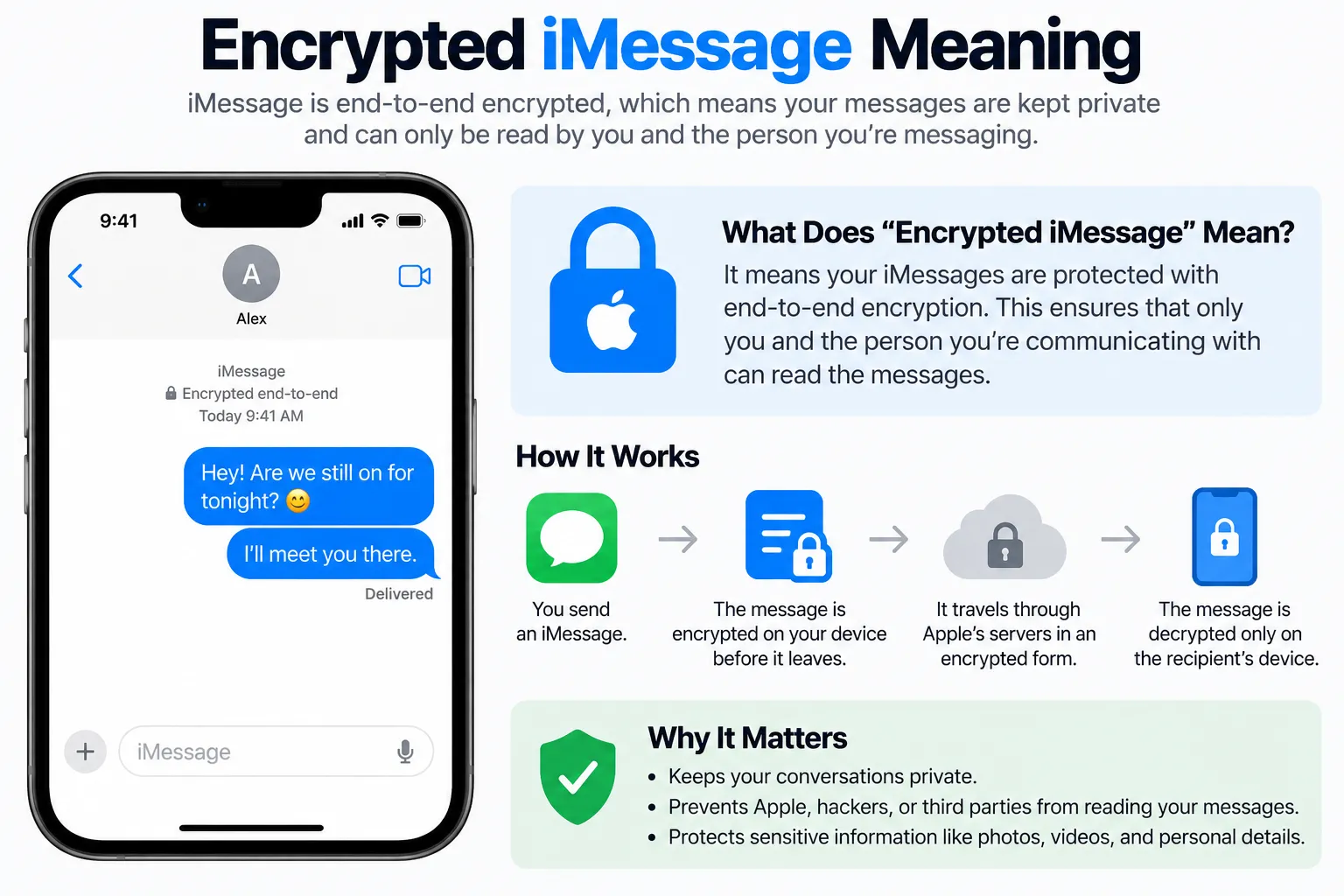
How iMessage Encryption Works
The process involves several stages. Your device prepares the message, encrypts it, and sends the protected data through Apple’s messaging infrastructure. The recipient’s device then uses the required cryptographic information to decrypt the message.
A simplified process looks like this:
- You write an iMessage.
- Your Apple device encrypts the message.
- The encrypted data travels through the network.
- The recipient’s Apple device receives the protected data.
- The recipient’s device decrypts the message.
- The message appears in readable form.
This process helps prevent a third party from viewing the message simply by intercepting its network traffic.
Why Does iMessage Use Encryption?
Privacy sits at the center of iMessage security. Messages can contain private conversations, photographs, personal details, documents, addresses, and other sensitive information.
Encryption adds a security layer between the sender and recipient.
Some common reasons for iMessage encryption are:
- Protection against network interception
- Greater privacy for personal conversations
- Security for shared photos and videos
- Protection for message attachments
- Reduced exposure of message content to outsiders
- Safer communication across public or unfamiliar networks
Encryption also helps protect conversations during transmission across Wi-Fi and cellular networks.
Is Every iMessage Encrypted?
Apple designed iMessage around encrypted communication, so messages sent through iMessage receive encryption protection. The exact security features can vary based on the Apple services and settings involved.
A blue bubble generally means the message uses iMessage. A green bubble means the message uses SMS, MMS, or RCS, depending on the device and carrier setup.
| Message type | Bubble color | Encryption |
|---|---|---|
| iMessage | Blue | End-to-end encryption |
| SMS | Green | No iMessage end-to-end encryption |
| MMS | Green | No iMessage end-to-end encryption |
| RCS | Green | Security depends on the RCS implementation |
The bubble color therefore gives you a useful clue about the messaging system in use.
What Does End-to-End Encryption Mean?
End-to-end encryption means the message gets protected from the point of sending until it reaches the intended recipient’s device.
The basic idea is:
Sender → Encrypted message → Network → Recipient → Decrypted message
The network may transport the encrypted data, yet the readable message stays protected during transit.
For example, imagine sending a private sentence through iMessage. Your phone turns the readable message into protected data before transmission. The recipient’s device then converts that protected data back into readable text.
This process makes ordinary network interception far less useful to an attacker.
Can Apple Read Encrypted iMessages?
End-to-end encryption gives Apple limited access to the content of messages in transit. The design keeps message content protected between participating devices.
However, iMessage security involves more than message text alone. Account information, metadata, backups, device settings, and other service components can have different security characteristics.
That distinction matters because encryption for message transmission does not automatically mean every piece of information connected with an Apple account receives identical protection.
Are iMessage Photos and Videos Encrypted?
Yes. Supported iMessage attachments receive encryption protection as part of the messaging process. This can cover photos, videos, documents, links, and other content sent through an iMessage conversation.
For example, sending a personal photograph through iMessage gives the photo encryption protection during transmission rather than sending it as openly readable network data.
The same general concept applies to many other forms of content shared through the service.
Does Encryption Mean the Message Cannot Be Hacked?
Encryption provides strong protection, but it does not make an account or device completely immune to every security threat.
An attacker may target the device itself, the Apple Account, passwords, authentication methods, or another part of the digital environment.
Useful security practices include:
- Use a strong device passcode.
- Keep iOS and other Apple software updated.
- Protect your Apple Account with strong authentication.
- Avoid sharing account credentials.
- Review devices connected to your Apple Account.
- Use additional security features available through Apple.
- Be cautious with suspicious links and unexpected requests.
Strong encryption works best alongside good account and device security.
What Does “Encrypted” Mean in iMessage Conversations?
Seeing encryption-related information does not usually mean something has gone wrong. It generally points toward the security system protecting your communication.
Some users may notice encryption terminology during discussions about message security, account verification, or device changes. The wording can vary across Apple software versions and security features.
The main idea remains simple:
Encrypted iMessage = protected digital communication between Apple devices.
Encrypted iMessage vs SMS
iMessage and SMS use different technologies.
iMessage works through Apple’s internet-based messaging platform. SMS uses the cellular network and carrier messaging infrastructure.
| Feature | iMessage | SMS |
|---|---|---|
| Bubble | Blue | Green |
| Internet-based | Yes | No |
| End-to-end encryption | Yes | No |
| Works through Apple messaging | Yes | No |
| Rich media support | Yes | Limited |
| Apple device integration | Strong | Basic |
This difference explains why a conversation can move from blue to green. The messaging method has changed, so the security characteristics can change as well.
Why Did My iMessage Turn Green?
A green message usually means your device sent the message through a non-iMessage method.
Possible reasons include:
- The recipient has an Android phone.
- iMessage is disabled on the recipient’s device.
- iMessage is disabled on your device.
- The recipient has no internet connection.
- A temporary iMessage service issue exists.
- The recipient changed devices or phone numbers.
- Your device has a temporary connection problem.
A green bubble does not automatically mean your phone has a security problem. It mainly tells you that the message did not travel through standard iMessage.
Does Encrypted iMessage Protect Group Chats?
iMessage group conversations can also use encryption. The protection applies to supported participants and content exchanged through the iMessage service.
Group conversations can become more complex because several devices participate in the same conversation. Apple’s messaging system manages the encryption process across those participating devices.
For maximum account security, every participant should also protect their own device and Apple Account.
Does iCloud Backup Affect iMessage Encryption?
iCloud backups involve a separate security layer from message transmission. The way data receives protection in iCloud depends on the applicable Apple settings and security features.
Apple also provides Advanced Data Protection for iCloud, which can add end-to-end encryption to a broader range of iCloud data.
This means users should separate two concepts:
- iMessage encryption: protects supported message communication.
- iCloud data protection: governs stored information in supported iCloud services.
The two systems work in different areas of Apple’s ecosystem.
How to Check iMessage Settings
You can review iMessage settings from your iPhone by opening:
Settings → Apps → Messages
On some iOS versions, the menu layout may differ slightly.
Look for settings related to:
- iMessage
- Send & Receive
- Message filtering
- Security-related options
- Text Message Forwarding
- Low-quality image mode
- Message history
Keeping your Apple software updated also helps you access newer security improvements.
Final Takeaway
Encrypted Imessage meaning your Apple messaging conversation receives end-to-end encryption designed to protect message content between participating devices. The system protects supported texts, photos, videos, and other shared content during transmission.
Blue bubbles generally point to iMessage, while green bubbles point to another messaging method. That distinction matters because SMS, MMS, RCS, and iMessage can have different security properties.
For stronger protection, keep your Apple devices updated, secure your Apple Account, use a strong passcode, and review your iCloud security settings. These steps work together with iMessage encryption to create a safer messaging environment.
Does Encrypted Imessage meaning my message is private?
It means supported iMessage content receives end-to-end encryption during communication. Device security, account protection, backups, and other services can have separate security considerations.
Can someone read my iMessage over public Wi-Fi?
Encryption makes intercepted iMessage traffic difficult to read because the message content receives cryptographic protection.
Are green messages encrypted like iMessages?
Green messages do not use standard iMessage end-to-end encryption. Their security depends on the messaging technology being used.
Do I need to turn on iMessage encryption?
Standard iMessage encryption works as part of the iMessage system. You generally do not need a separate encryption switch for ordinary iMessage conversations.
Does encryption protect photos sent through iMessage?
Supported photos and other attachments sent through iMessage receive encryption protection during transmission.