
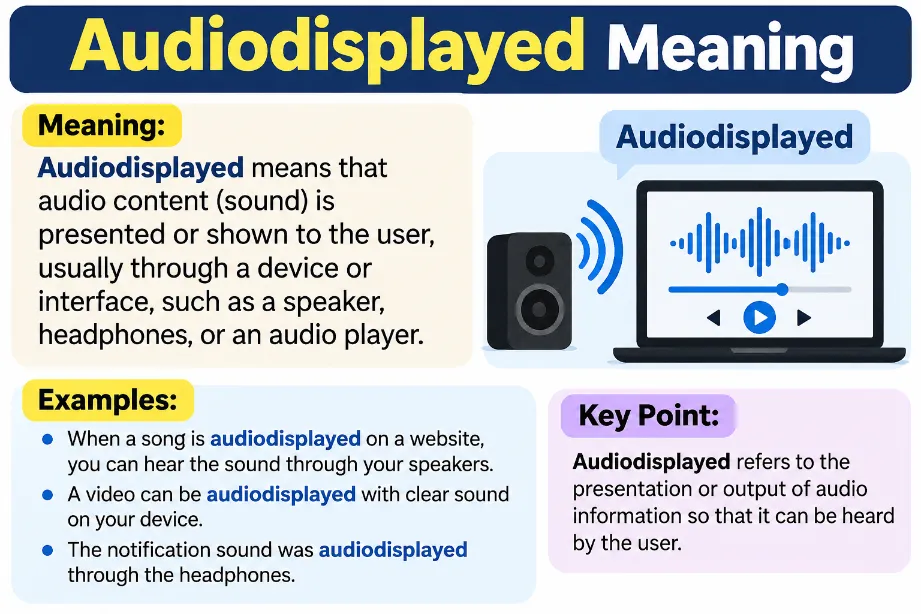
The Audiodisplayed meaning generally relates to audio content shown or represented by a digital system. The term may appear in a chat transcript, a voice-message record, a media interface, or a technical text file. It combines two words: “audio,” which refers to sound, speech, or music, and “displayed,” which means shown or presented.
Audiodisplayed does not have one universally established definition across messaging apps and digital platforms. Its exact meaning depends on the software and the place where it appears.
For example, a copied conversation might contain the marker <<AudioDisplayed>> in place of an audio clip. This can help a reader identify the point at which audio content appeared in the original exchange.
The most important distinction is that displaying audio does not necessarily mean someone listened to it. A visible audio player can remain untouched until a user presses the play button.
What Is the Simple Meaning of Audiodisplayed?
Audiodisplayed is best treated as an audio-related label or placeholder rather than established everyday English slang.
| Term | Simple meaning |
|---|---|
| Audio | Sound, speech, music, or a recording |
| Displayed | Shown or presented on a screen |
| Audiodisplayed | A label that may represent audio content in a digital system |
| Audio played | Audio playback has started |
| Voice message | A recorded sound message sent through an app |
| Audio transcript | Written text representing spoken words |
The combined word may appear in different formats, such as audiodisplayed, AudioDisplayed, or <<AudioDisplayed>>. Formatting can depend on the software that creates or exports the text.
There is no single confirmed meaning for this exact term across all applications. Therefore, the surrounding message, app, or file provides the best clue to its intended use.
Audiodisplayed Meaning in Text Messages
In a text conversation, audiodisplayed may serve as a placeholder for an audio attachment or a voice recording. This interpretation can apply to exported chats, transcripts, or text generated by a multimedia application. However, the label alone cannot confirm the exact action performed by the recipient.
Consider this example:
Alex: Can you listen to my voice note?
<<AudioDisplayed>>Sam: I will listen to it later.
In this example, the marker represents an audio element within the conversation. It does not reveal whether Sam opened the recording, listened to it, or saved it.
Here are some useful points:
-
The marker may represent audio omitted from a text export.
-
The original recording may remain available in the source app.
-
The text alone may not preserve the audio attachment or its playback controls.
-
The sender’s message and the recipient’s response provide additional context.
Does Audiodisplayed Mean Someone Listened to Your Audio?
No, the term alone does not prove that someone listened to your voice message.
A digital interface can show an audio player without starting playback. For example, web browsers can display audio controls that let users play, pause, and adjust the volume. The presence of those controls does not establish that playback occurred.
Use the following table to distinguish the possible meanings.
| What you see | What it tells you |
|---|---|
| Audio displayed | An audio-related element may have appeared on screen |
| Audio player visible | A player or its controls are available |
| Audio played | Playback has started |
| Audio completed | Playback reached the end, provided the system records this status |
| Message seen | The platform may have recorded a viewing event |
| Audio transcript | Written text represents spoken content |
If you want to know whether someone heard your recording, check the messaging app’s own playback indicators and help documentation. Do not rely on the word audiodisplayed alone.
Also Check: Otsukaresama Meaning
Audiodisplayed Meaning on WhatsApp
The audiodisplayed meaning on WhatsApp depends on the exact place where the term appears.
In a regular WhatsApp conversation, users can send voice messages and audio files. A text export may represent media differently from the original chat, so some audio details may not appear as playable content in the exported text.
If you find <<AudioDisplayed>> in a copied conversation or a transcript, consider these possibilities:
-
The text represents an audio element from the original exchange.
-
The export or transcription process has replaced the media with a placeholder.
-
The marker comes from another tool that processed the conversation.
The term itself does not confirm that WhatsApp marked a voice message as listened to, read, or completed. Check the original conversation for the relevant status information.
Audiodisplayed Meaning on Social Media
On social media, audiodisplayed may appear in copied text, multimedia transcripts, automated records, or software-generated content. Its presence does not give it a universal meaning across Instagram, TikTok, Facebook, or other platforms.
For example, a person may copy a conversation containing an audio placeholder into a document. The placeholder can remain visible even though the original audio player does not transfer with the text.
Keep these points in mind:
-
It is not a widely established social media abbreviation like LOL or BRB.
-
It does not automatically express an emotion or reaction.
-
It does not prove that a recipient ignored a message.
-
The platform and surrounding content help determine its intended meaning.
Is Audiodisplayed a Real English Word?
Audiodisplayed is not a standard everyday English term with one accepted dictionary definition. It appears to combine “audio” and “displayed” into a compact expression that may serve as a technical label or placeholder.
The distinction between ordinary wording and software labels is useful here.
| Form | Typical interpretation |
|---|---|
| Audio displayed | Audio content or an audio element is shown |
| audiodisplayed | A joined form that may serve as a label |
| AudioDisplayed | A formatting style sometimes used for identifiers |
<<AudioDisplayed>> |
A marker that may represent audio in a transcript |
| Audio description | Spoken narration that describes visual information for accessibility |
The last term has a separate meaning. Audio description helps communicate visual details through narration, while audiodisplayed may refer to the presentation or representation of audio content. These expressions should not be treated as interchangeable.
Why Does Audiodisplayed Appear in a Transcript?
A transcript converts a conversation or recording into a text-based format. Depending on the software, the resulting text may contain placeholders for audio, images, or other media that the text itself cannot reproduce.
Audiodisplayed may serve this purpose in a particular system.
For example, an exported conversation might contain:
-
A written message from the sender.
-
An audio-related placeholder.
-
A written response from the recipient.
The placeholder helps preserve the order of the conversation, even though it may not carry the original recording. Its exact function depends on the tool that produced the transcript.
If you need the actual recording, return to the original application or file rather than assuming the placeholder contains playable sound.
Audiodisplayed vs Audio Played
The difference between these expressions is simple: one may describe presentation, while the other describes playback.
Digital audio players can display visible playback controls and track separate playback events. For example, a browser can register an event that signals the start of audio playback.
| Feature | Audiodisplayed | Audio played |
|---|---|---|
| Audio element may appear on screen | Yes | Yes |
| Playback must have started | Not necessarily | Yes |
| Confirms someone heard the complete recording | No | No |
| May refer to a system label | Yes | Depends on the system |
| Exact meaning depends on the platform | Yes | The recorded status may vary |
Even a playback indicator cannot always prove that someone heard every second of a recording. The audio may have played briefly, stopped, or run with the device muted.
Does Audiodisplayed Mean the Audio Was Deleted?
No. The term alone does not confirm deletion.
A transcript may contain an audio placeholder because the export format does not reproduce the original media. The recording could still exist in the source application, or the export process may have omitted the audio file.
To check its status:
-
Open the original conversation or media application.
-
Look for the relevant voice message or audio attachment.
-
Check whether the recording can still be opened or played.
-
Review any deletion notice or file status supplied by the platform.
These checks provide better evidence than the placeholder itself.
Does Audiodisplayed Mean Your Microphone Is Recording?
No general rule links the word audiodisplayed to active microphone recording.
Displaying an audio element and recording sound from a microphone are separate operations. A media player may show a saved recording without using the microphone at all.
If you are concerned about microphone access, check your device’s privacy indicators and app permissions. On your phone or computer, review which applications have microphone access and revoke permissions you do not want to grant.
The term by itself does not establish that an application is recording you.
How to Interpret Audiodisplayed Correctly
The best way to interpret audiodisplayed is to examine the source rather than assign a meaning based on the word alone.
Follow these steps:
-
Check the location: Determine whether it appears in a chat, transcript, website, or software log.
-
Review the formatting: Angle brackets, underscores, or unusual capitalization may suggest a system-generated label.
-
Read nearby text: Messages before and after the marker may clarify its purpose.
-
Open the original source: Check whether an actual recording or audio player exists.
-
Verify the status: Use the platform’s own indicators to check playback, deletion, or message activity.
These steps can help prevent incorrect assumptions about voice messages and online conversations.
Final Thoughts
The Audiodisplayed meaning is best interpreted as an audio-related label or placeholder whose precise function depends on the source. It may appear in transcripts, copied conversations, media interfaces, or technical records.
The main point is to separate an audio element being displayed from audio playback actually occurring. A visible player or text marker does not, by itself, prove that someone listened to a recording, deleted a message, or used a microphone.
What does audiodisplayed mean in simple English?
Audiodisplayed generally refers to audio content being shown or represented by a digital system. Its exact meaning depends on the software or document where it appears.
Is audiodisplayed a slang word?
It is not widely established as conventional internet slang. It is more plausibly a technical-looking label, a placeholder, or a joined form of “audio displayed.”
Does audiodisplayed mean someone heard my voice note?
No. The term alone does not confirm that someone played or listened to the recording.
Why do I see audiodisplayed in a text file?
The file may contain a placeholder for audio that appeared in the original conversation. The export tool determines how multimedia elements appear in text.
Is audiodisplayed the same as audio description?
No. Audio description refers to narration that communicates visual information, usually for accessibility. Audiodisplayed may refer to an audio-related element presented by a digital system.
Does audiodisplayed mean a message was deleted?
No. A placeholder does not establish whether the original audio still exists or has been deleted.
Can audiodisplayed have different meanings in different apps?
Yes. Since the term has no universal definition across all platforms, the application and surrounding context are important.